
As we start the new year, we’re reminding our UK Cloud customers that onGuard Insights is available with onGuard 1.6.4.
See the Bigger Picture
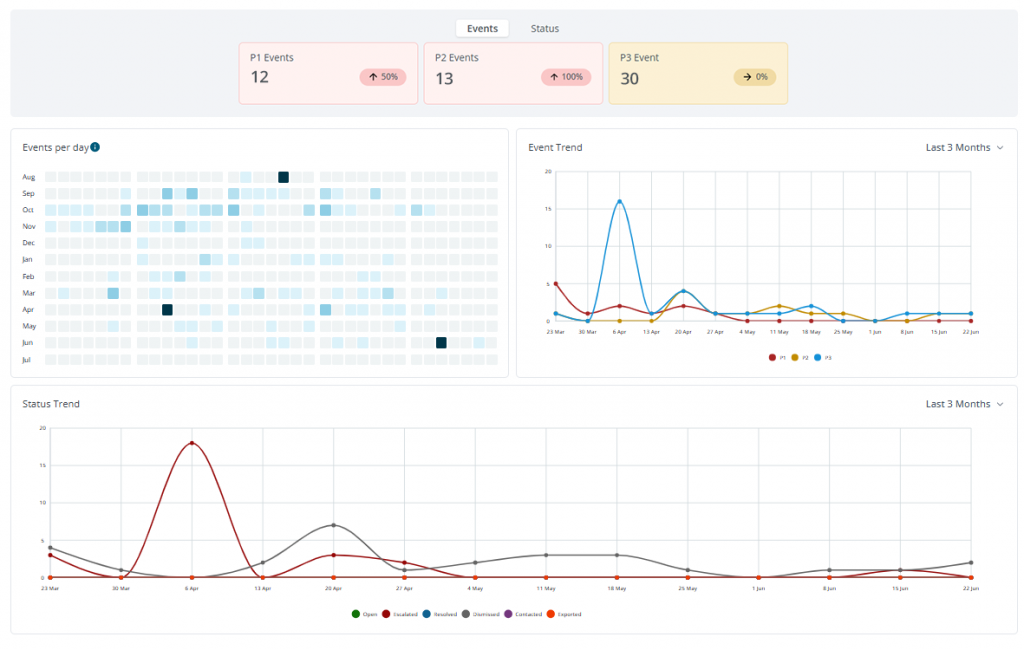
onGuard Insights gives schools and safeguarding teams a clearer view of changes and trends in student online activity as they develop.
Individual incidents can be difficult to assess on their own. Insights helps put activity into context by highlighting changes in a student’s activity that may indicate a developing concern. As that history builds, it creates a valuable baseline that can help safeguarding professionals recognise when activity changes and may warrant further review, support, or intervention.
The sooner you start, the more history you’ll have when you need it. Starting now allows Insights to build that baseline, giving your safeguarding team a clearer picture of what’s typical and when something may have changed.
Want to learn more about onGuard Insights? Explore the onGuard Insights Brochure
Make Sure Insights Is Enabled
If your account is eligible, there’s nothing new to deploy. Insights simply needs to be enabled so your safeguarding team can start using it as part of their existing onGuard solution.
Contact your Netsweeper sales representative to confirm whether Insights is available for your account and to have it enabled.
Start the year with access to the full capabilities available through your onGuard deployment.